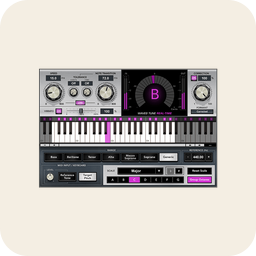
A professional pitch-correction and vocal effects plugin offering real-time and graphical pitch editing.
The original and the industry standard — both the classic Auto-Tune effect and detailed graphical correction.
PluginsPaid
Plugins
Paid
The best pitch-correction and Auto-Tune tools for vocals — from real-time tuning and the Auto-Tune effect to transparent note-by-note editing.
Pitch correction covers two very different jobs: the deliberate, robotic Auto-Tune effect you hear on modern vocals, and transparent tuning that fixes a slightly-off note without anyone noticing. Some tools do one well, some do both, and a few go far beyond pitch into full vocal editing. Whether you want a live tuned sound on stage, invisible correction on a lead vocal, or surgical control over every note, this list covers the standards and where each one shines.
A professional pitch-correction and vocal effects plugin offering real-time and graphical pitch editing.
The original and the industry standard — both the classic Auto-Tune effect and detailed graphical correction.
An audio editor that lets you edit the pitch, timing, and other characteristics of individual notes within recordings.
The gold standard for transparent, note-by-note editing of pitch, timing, and pitch drift.
A real-time vocal pitch-correction plugin with ultra-low latency for studio and live use.
Low-latency live tuning — the practical choice for the Auto-Tune sound on stage or while tracking.
Vocal production plugin suite with AI-assisted mixing tools for vocals.
A complete vocal chain with pitch correction built in, good when you want tuning plus full processing in one plugin.
Antares Harmony Engine is a vocal harmony plugin that generates multiple harmony voices from a single lead vocal or monophonic input.
Generates natural-sounding harmony voices from a single vocal — pitch tech aimed at backing vocals, not just correction.
For the audible Auto-Tune sound, Auto-Tune Pro and Waves Tune Real-Time are the go-tos, and Waves' low latency makes it usable live. For correction nobody should hear, Melodyne is the standard — its note-by-note editing lets you nudge pitch, timing, and even pitch drift with precision. iZotope Nectar folds tuning into a full vocal chain, and Antares Harmony Engine generates harmony parts on top.
Real-time tools (Auto-Tune Pro's Auto mode, Waves Tune Real-Time) correct as the audio plays, ideal for tracking and performance. Offline, graphical editing (Melodyne, Auto-Tune's Graph mode) gives you full control over each note but works on recorded audio, not live input. Many engineers use a real-time tool while tracking and Melodyne for detailed fixes afterward.
Questions
Auto-Tune excels at real-time correction and the recognizable tuned effect. Melodyne is built for detailed, transparent, note-by-note editing after recording. Auto-Tune is faster live; Melodyne offers more surgical control over each note.
Use Auto-Tune Pro or Waves Tune Real-Time with a fast retune speed and set the correct key/scale. The faster the retune, the more obvious and robotic the effect becomes.
Melodyne, because you can adjust each note's pitch, timing, and drift by hand for a result that sounds untouched. Slower retune settings on Auto-Tune Pro also produce transparent correction.
Yes — Waves Tune Real-Time and Auto-Tune Pro's real-time mode are designed for low-latency live use. Offline tools like Melodyne's editor only work on recorded audio.
The professional tools here are paid, but many DAWs include a basic pitch-correction plugin, and some free vocal plugins offer light tuning. For serious results, though, the paid standards are worth it.
It fixes pitch and timing, not tone, emotion, or a mistimed performance. It works best on a solid take that's slightly off — it can't turn a weak performance into a great one.